
A project contains references to your images on disk, edits, and culling decisions. They’re saved as .apheraproject files, by default in ~/Pictures/Aphera, but the location is configurable. See Project Settings.
Why Projects
Rather than one catalog that holds everything, Aphera uses projects to organize your work. Projects are meant to be short-term, like a working session. We recommend creating many: for a time period, a theme, or just to play. A project references your photos on disk, so projects can overlap or be discarded without affecting your photos.
Creating a Project
File > New Project creates a new, empty project in your projects folder. Aphera names the project from the naming pattern in Settings (default {date} {name}); if “Ask for project name each time” is enabled, Aphera asks for the name first.
Opening a Project
File > Open Project opens a file browser to select an existing project.
When you launch Aphera without an open project, the Projects window displays every project found in your projects folder.
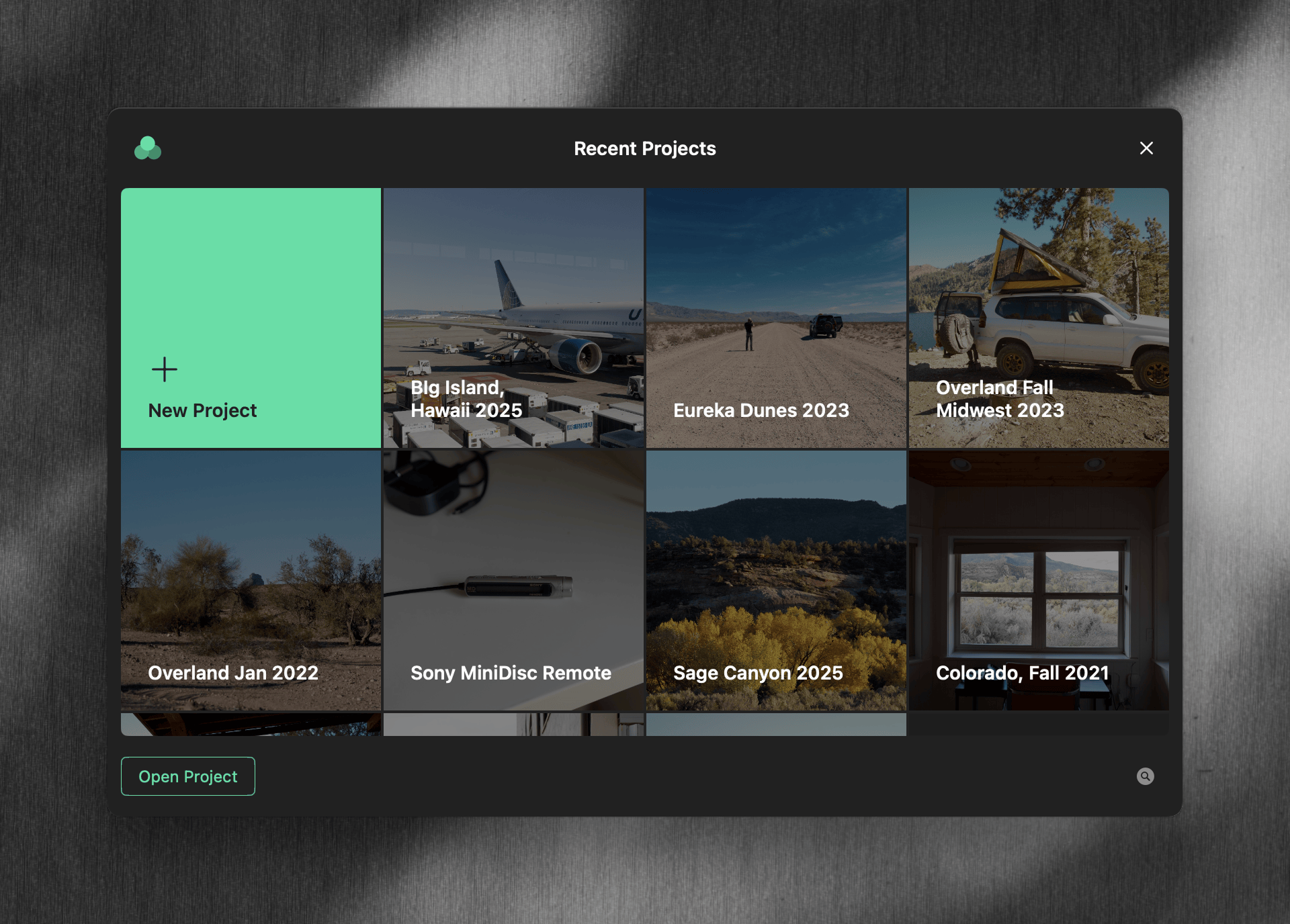
The Projects window provides:
- Filter — the toolbar search field filters the visible projects by name.
- Sort — the toolbar menu sorts by Last Opened or Name, with a Reversed toggle.
- New Project — the first cell creates a new project.
- Show Projects in Finder — opens the projects folder in Finder. If the folder is missing or unreachable, the footer shows an error and project cells are disabled.
Right-click a project tile for Open Project, Show in Finder, Rename Project…, and Move Project to Trash. Double-click a tile to open the project.
Recently opened projects also appear at the top of the sidebar in an open project window.
Renaming a Project
Rename Project… in the Projects window, or Rename… in the project menu at the top of the sidebar, opens a dialog for the new name. Aphera renames the project file on disk to match. Leaving the name unchanged, or clearing it, cancels the rename. If the rename fails, an alert reports why.
Moving a Project to the Trash
Move Project to Trash in the Projects window moves the project and everything inside it to the Mac’s Trash. It no longer appears in Aphera, and can be recovered from the Trash until the Trash is emptied. Aphera asks for confirmation first.
This is not undoable within Aphera; the Trash is the recovery path. Photos are unaffected — a project holds references to files, not the files themselves.
Closing a Project
File > Close Project closes the current project window.
Projects auto-save as you work — there’s no manual Save step.
Project Cover Image
Each project displays a cover image in the Projects window. By default the cover is the oldest of your highest-rated photos. Until you rate any photos, it falls back to the oldest photo by capture date.
To set the cover manually, right-click a photo in any view and choose Use as Cover Image.
Project Settings
Open Settings with Cmd+, and select Projects.
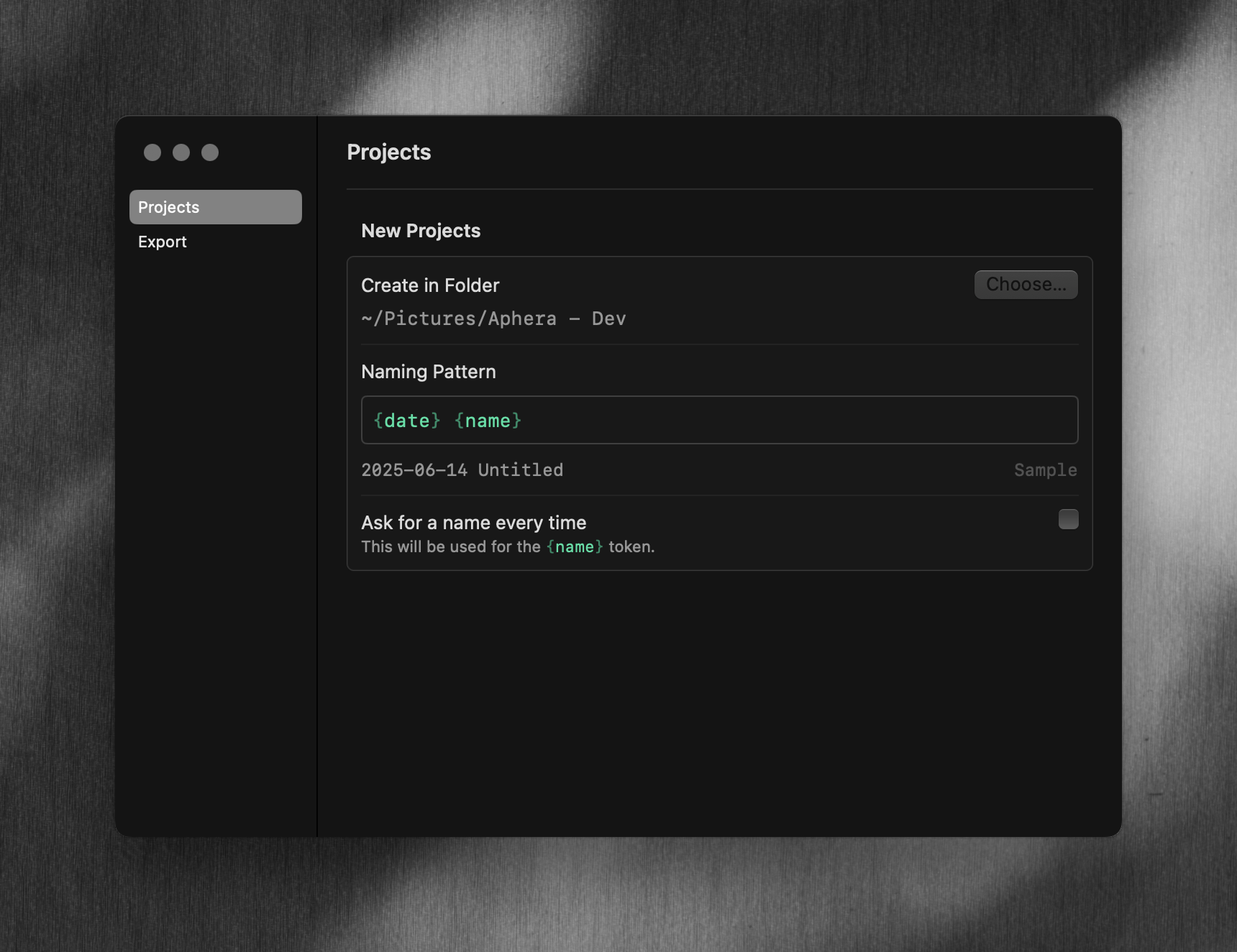
| Option | Description |
|---|---|
| Create in Folder | Where Aphera creates new projects. Choose… opens a folder picker. The folder must be available; an error appears below the path if the volume is missing or unreachable. |
| Naming Pattern | How Aphera names new projects, built from tokens. The pattern can contain forward slashes to nest projects in subfolders (e.g. {year}/{name}). Default {date} {name}. |
| Ask for a name every time | When on, File > New Project prompts for the {name} value before creating the project. When off, Aphera creates the project immediately with {name} set to Untitled. Disabled if the naming pattern does not contain {name}. |