




Aphera 1.8
Transfer from SD cards, view your file structure in projects

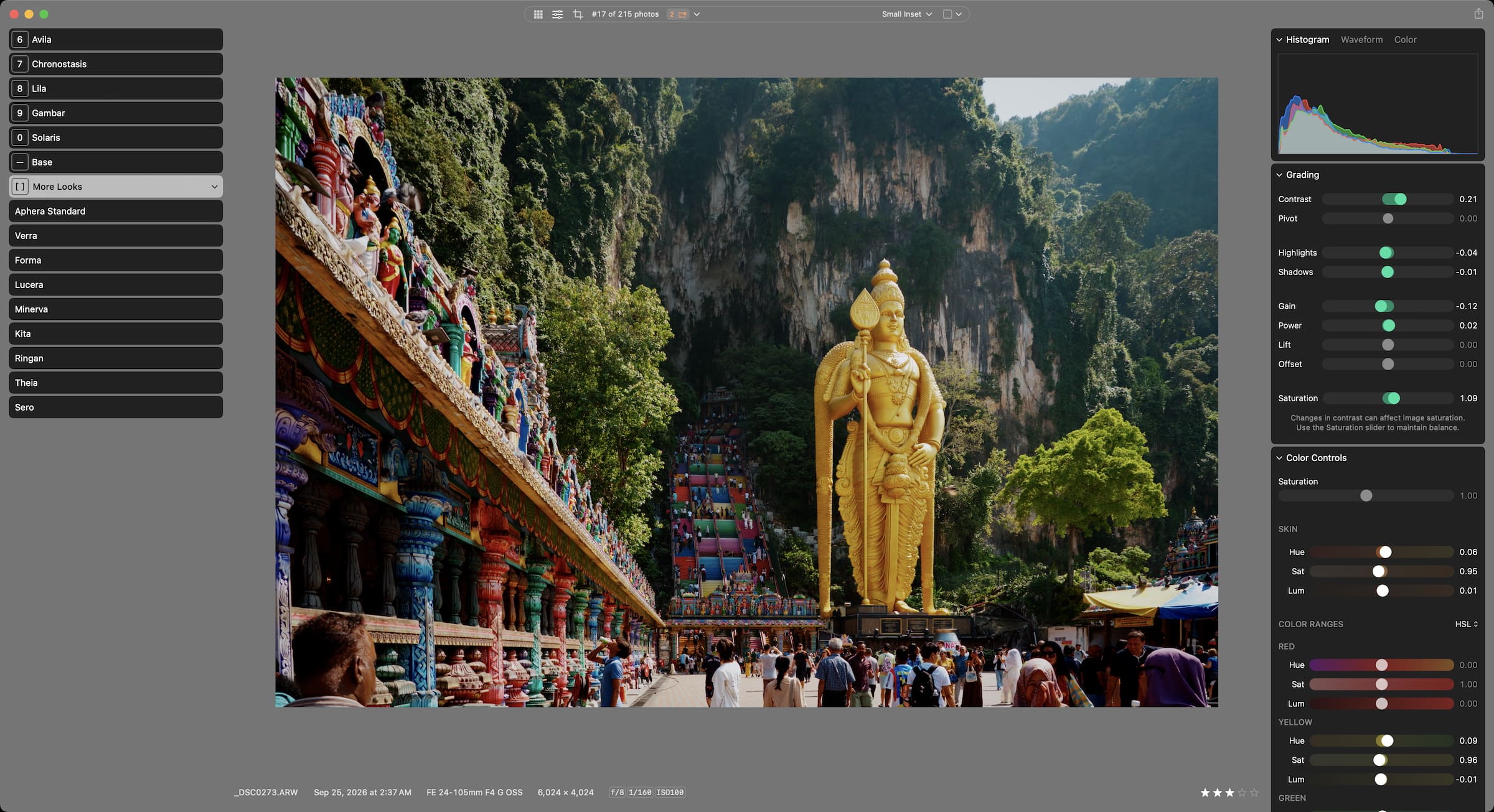
Slow workflows and color that didn‘t feel right sent us back to first principles. Since 2024, we've been crafting a RAW processor that brings joy back to editing.
No credit card or account required. Requires macOS 15+ and Apple Silicon. Changelog: Version 1.8
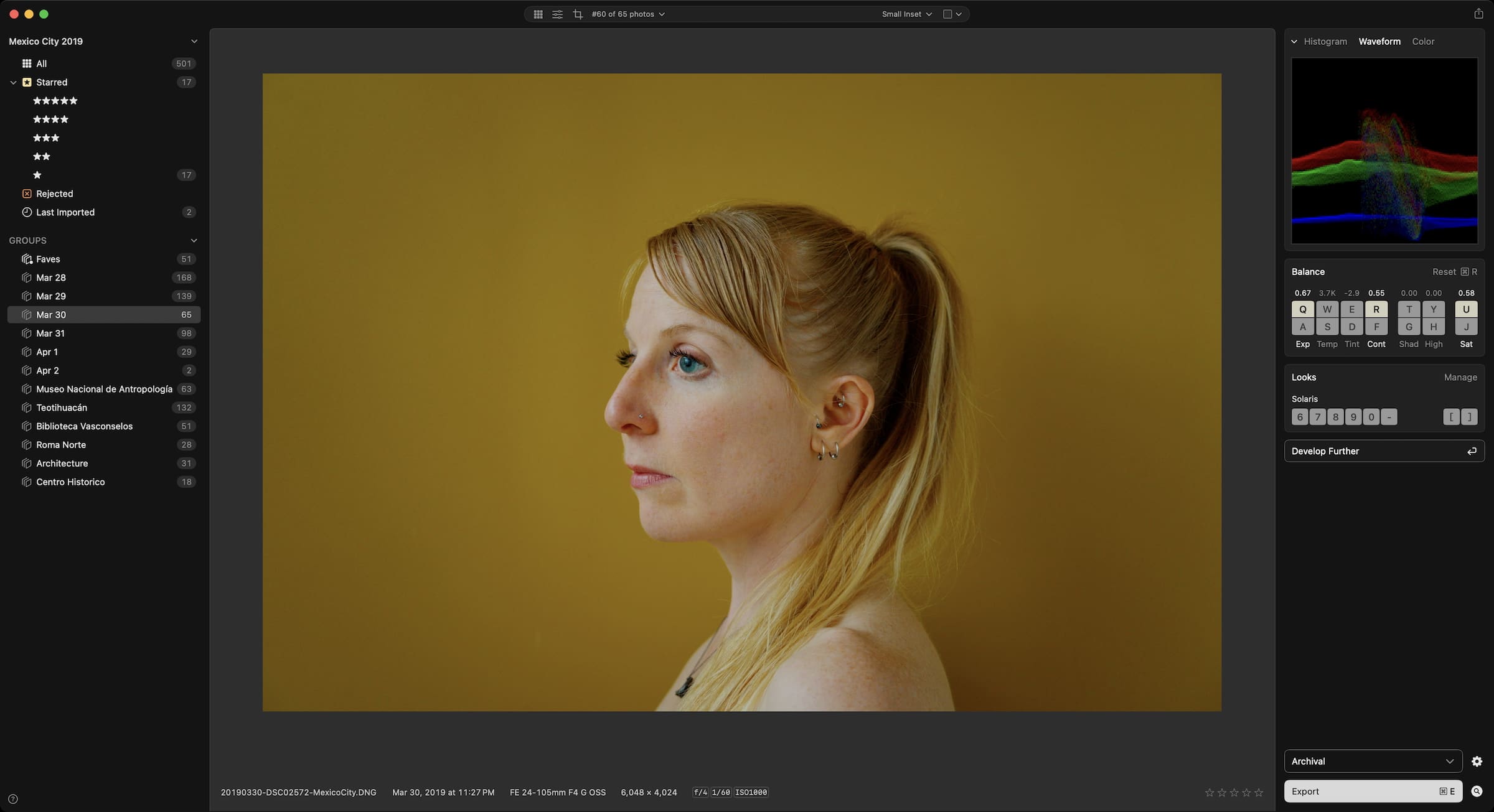
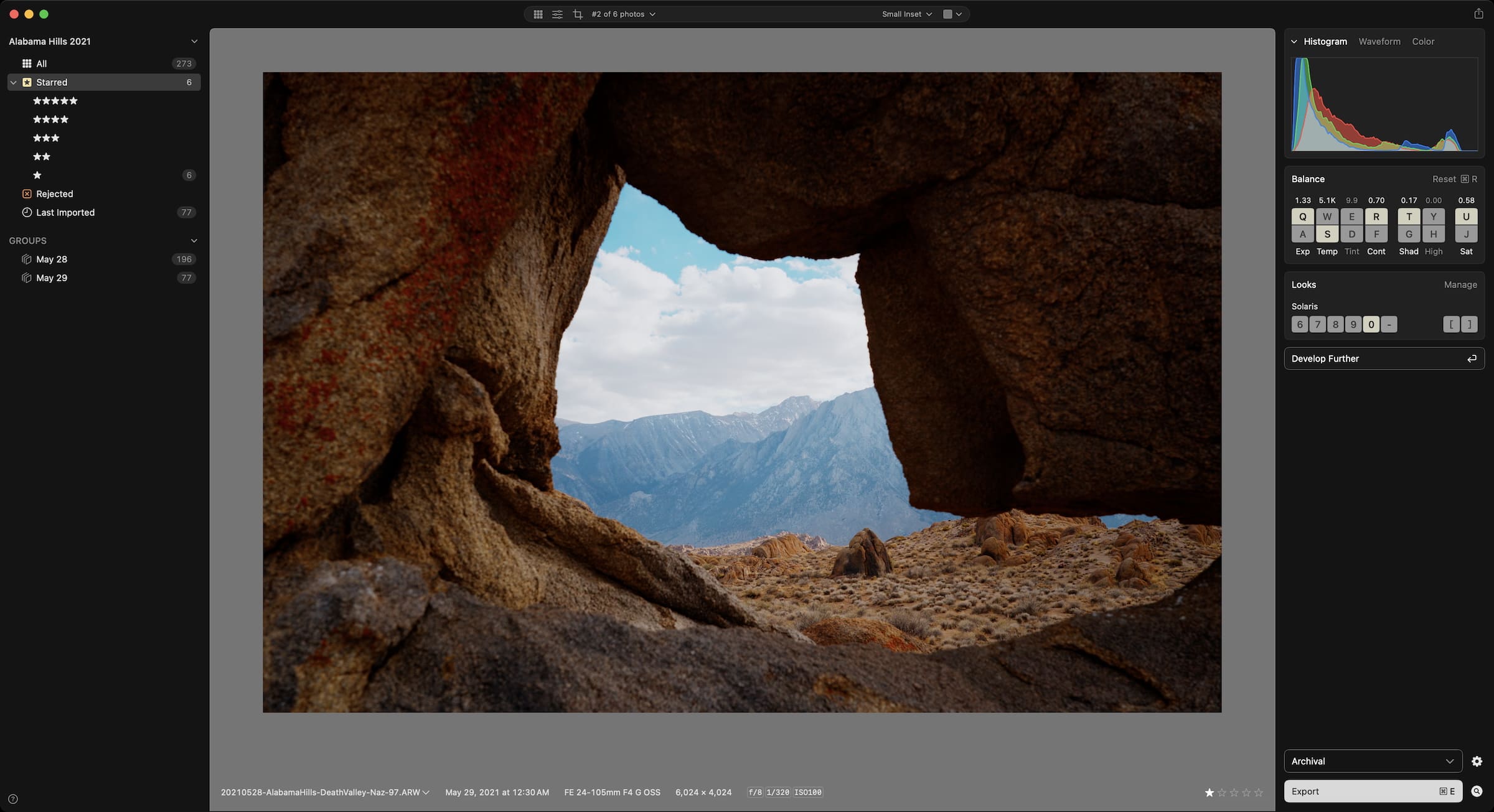
Developed with Aphera
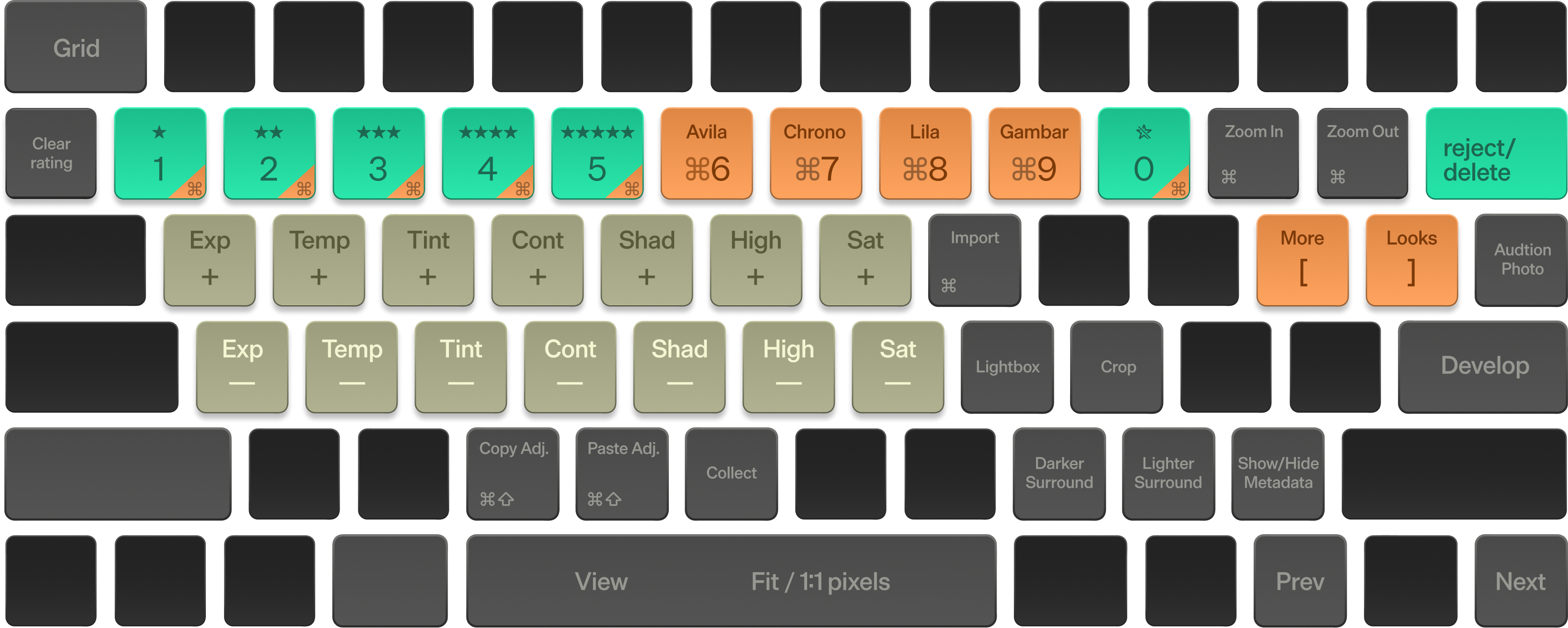
Fast because it’s keyboard-driven. Yours with every preference saved.
Cull, balance, and style every image without touching the mouse.
See changes instantly on 100MP RAW files — batch edits, ratings, or exports across hundreds of photos at once.


Start from a handcrafted, cinema-grade look, then shape it into your own. Save it, and apply your signature style to a whole shoot with one key press.
Project-based organization keeps every shoot self-contained. Repeatable export presets mean nothing to configure twice.
Quick Start, Keyboard shortcuts, and the full editing pipeline — the complete reference for getting the most out of Aphera.
As mentioned in PetaPixel and The Verge
I don’t want photo editing to feel like a chore, and Aphera is the first editor that truly makes my editing routine feel more like a ritual. I can rapidly cull my shots and apply adjustments with keyboard shortcuts without fidgeting endlessly with sliders. That power is still there, but the interface doesn’t make me miss it.
A lot of software removes distractions from photos. Aphera removes distractions from software, and it’s now the first and often last step in my workflow for sorting, selecting and editing photos.
This process used to feel overwhelming with options. Now I keep the telephone wires and whatnot to favor enhancing an image over changing it. Results feel true to life and the process is more enjoyable. I’m a fan.
... It's not for everyone for sure - but thats exactly the point. It's not trying to do all-the-things, but is laser-focused on the important parts and intentionally does them really well. It's fast, modern and opinionated, with the care and quality I associate with the very best indie Mac apps.
The photo editor of my dreams!
I’m so serious - a Mac-assed Mac app, with a fantastic interface, and proper color management (finally!). To be able to consistently apply the same Look to both iPhone and Fuji RAWs, since everything is operating from the same ‘common place’, is really powerful. It’s made me want to go out and take photos again, something I haven’t felt in a long time, as it’s eliminated the friction of processing images after a shoot.
Aphera is the perfect blend of lightweight, responsive, and powerful for my photo editing workflow. It makes culling, color grading, and tweaking my shots fast and fun. The built-in aesthetic presets offer excellent foundations, and the imaging pipeline allows immense flexibility. Plus, the team is very responsive and constantly improving it. Aphera doesn't do everything, but if its feature set fits your needs, give it a try! It is a joy to use in the way that only a well-crafted tool can be.
Transfer from SD cards, view your file structure in projects
Fixed capture times, export using EXIF dates
Project preferences and memory, collect into groups, and refreshed sidebar and toolbar
Histogram, Waveform, and a 30-day trial
Lens corrections from your camera, copy and paste files, smarter import groups, and more export options
No credit card or account required. Requires macOS 15+ and Apple Silicon.