
Project preferences and memory
New Display options in Settings > New Projects let you set the Grid columns and Surround Color default for new projects. Start each project the way you like.
Once created, each project opens right where you left it: surround color, grid columns, selected photos, filters, and view are now restored.
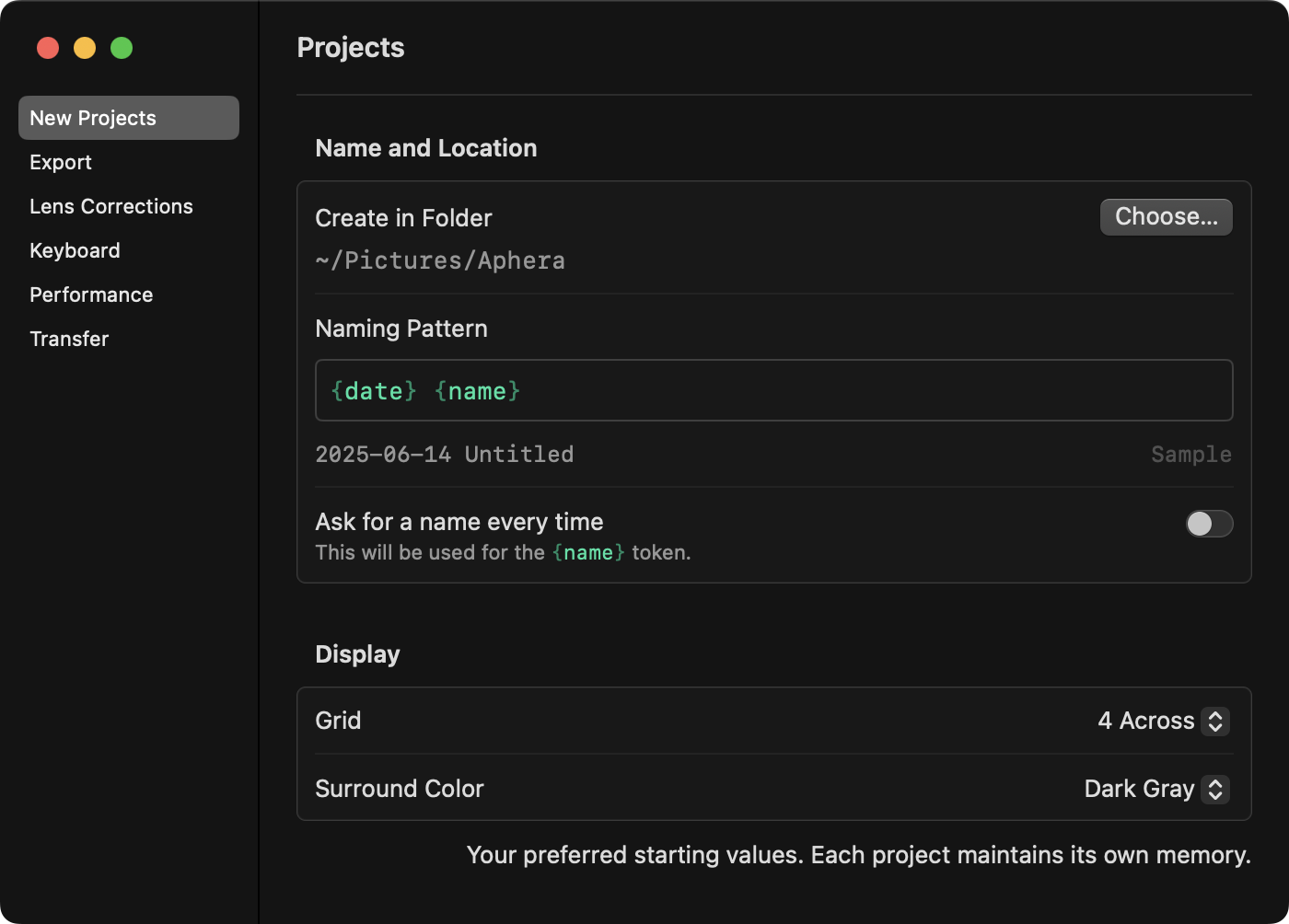
See Projects.
Groups are for collecting
You can now choose a group for collecting photos into, by pressing B. Selected photos are added (or removed) to that group. Right click other groups and choose Collect Here to change where the B key sends them.
See Collecting Photos.
Also — importing no longer creates groups. We found that automatically created groups were never quite right; either too specific or too generic. Now, when you import photos they’re always visible in Last Imported.
Last Imported and Stars in the sidebar
The sidebar has been rebuilt and redesigned, with new features:
- A Last Imported row shows the photos from the current / most recent import.
- The Starred row can be expanded to view each star rating.
Updated toolbar
The toolbar has also been redesigned, providing access to the current Grid, Zoom, and Surround Color settings.
- In Grid mode, set the number of grid columns from 2-12.
- In View and Develop modes, the toolbar shows the current zoom level. Click it to toggle zoom, the same as Space. Use the menu to set the target magnification for each mode: Fit to View and Pixel Accurate
- Background Color is now Surround Color, with a menu in the toolbar: Black, Dark Gray, Middle Gray, and White.
See Workspace.
More updates and fixes
- The Filter options moved from View > Filters to the new Organize menu.
- Double-click a group to rename it.
- Drag and drop to the sidebar sizes the images for easier targeting.
- The histogram no longer shows a false peak at the left edge.
- The waveform no longer appears dim on some images.
- The crop editor stays in sync after undo.
- Filenames with spaces no longer show
%20. - Long filenames truncate in the middle instead of breaking the layout.
- Fixed a delay on zooming to 1:1 view on some larger images.
- Fixed that some images would fail to render at 1:1 when denoise is enabled.
- Improved image rendering performance in some pretty significant ways.