
What’s new in this release:
Perspective
The crop editor now carries a tool switcher along the bottom — Aspect Ratio, Straighten, and Perspective tools. Edits apply directly and save as you go; reset each one independently from the right-click menu, or undo.
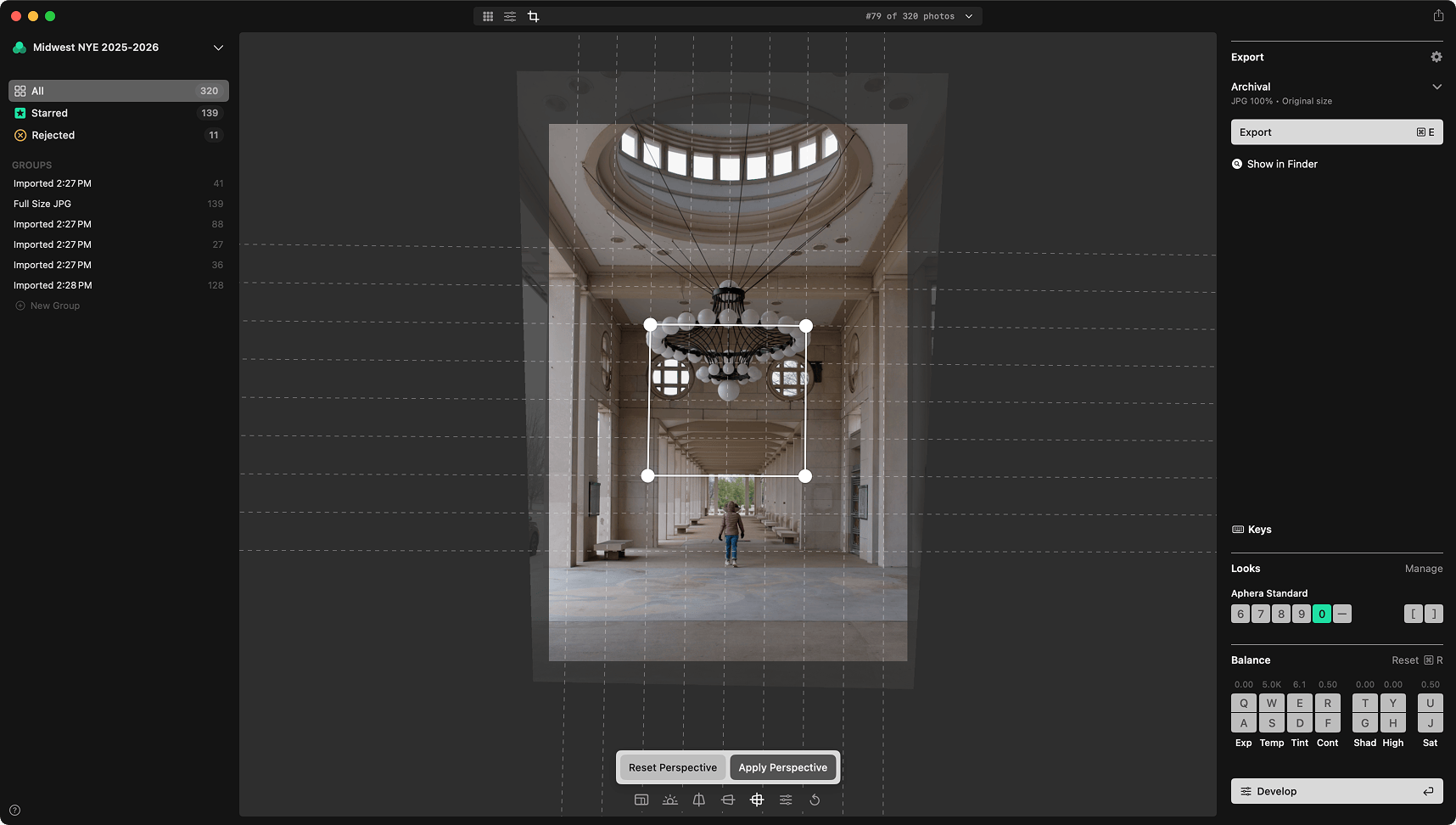
Perspective can be corrected using guided drawing modes. Drag the guides onto lines that should be straight, then click Apply Perspective and Aphera works out the correction:
- Vertical — two guides for converging verticals, like a building shot from below.
- Horizontal — two guides for converging horizontals.
- Full — four corner handles placed on something that should be a rectangle.
Prefer to dial it in by hand? Manual mode swaps the guides for sliders — Vertical and Horizontal lens shift, Shear, and Aspect. Auto Crop keeps the frame filled as the image warps.
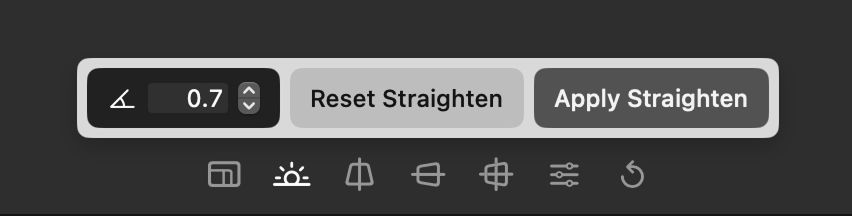
Straighten is now its own guided tool too: drag the guide onto something that should be level (horizontal or vertical) — a horizon, a doorframe — and click Apply Straighten.
Relink moved files
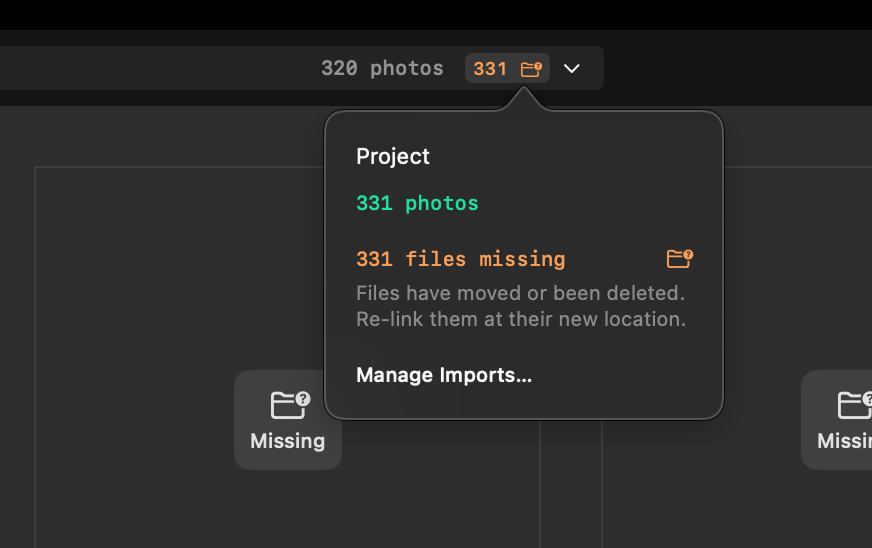
Move or rename your photos in Finder and Aphera follows them automatically (via macOS bookmarks). When a file can’t be found, it’s flagged as Missing in the project status — distinct from a file that’s on a disconnected drive (Reconnect).
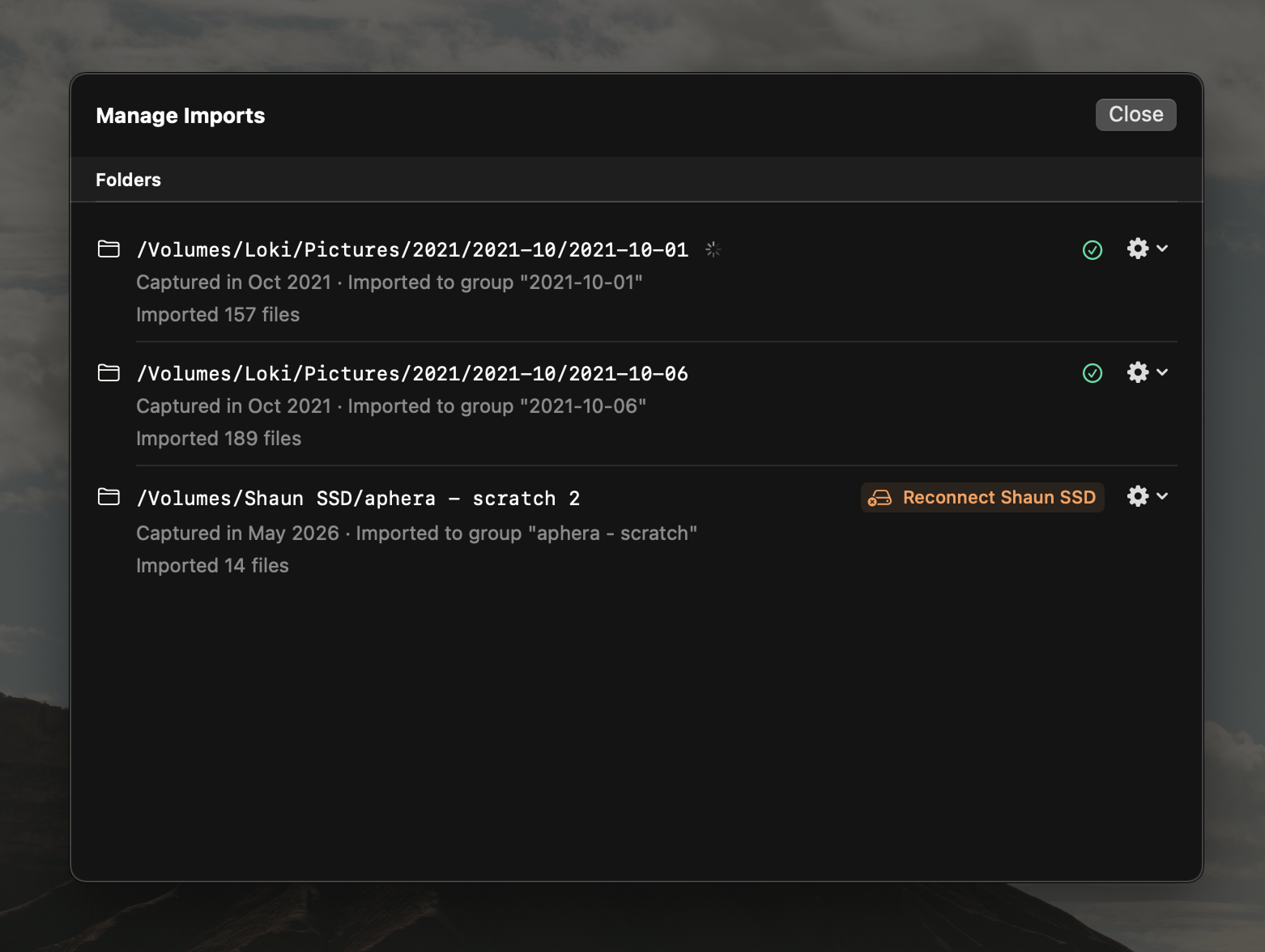
Manage Imports lists every import with its current status. When files go missing, open it, choose Locate on Disk… for that import, and point Aphera at the folder they moved to; it reconnects them in place. Relinking only updates references — it never moves or copies your files.
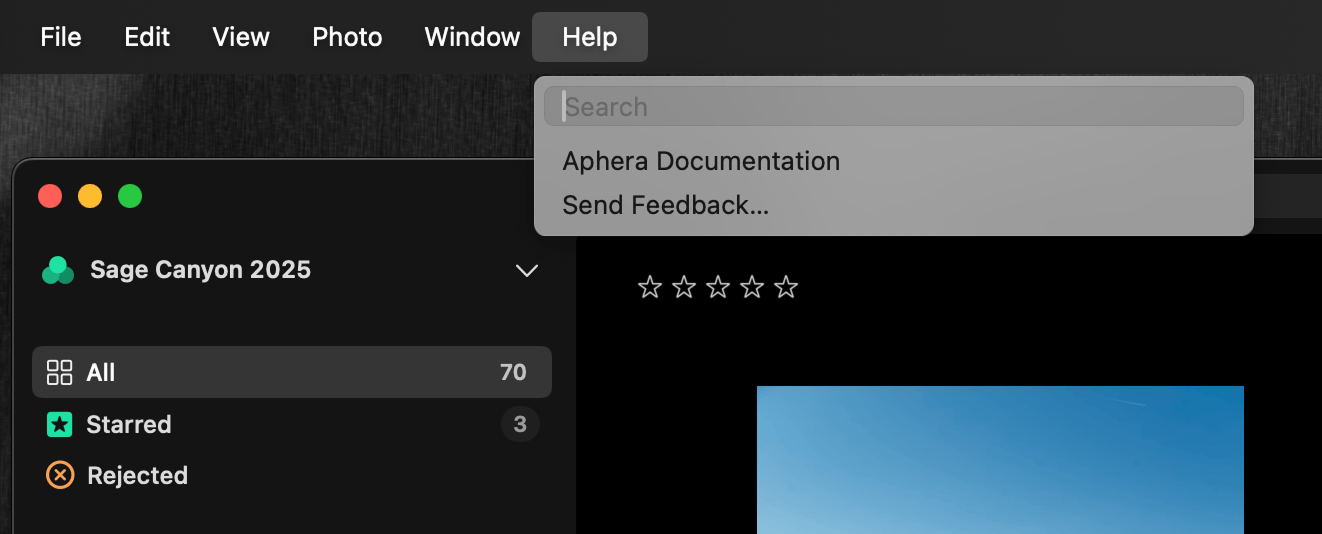
Send Feedback
Help > Send Feedback… opens an email straight to us. Tell us what’s working and what isn’t.
Other changes
- Importing automatically skips files that are already in the project.
- Fixed issues in Develop where the edits would get stuck or suddenly jump back to a previous state.
- Fixed importing sometimes scrolled to the bottom-most image instead of pinning to the top.
- Fixed ‘picker’ UI elements on Tahoe.
- App binary reduced from ~100MB to ~80MB.