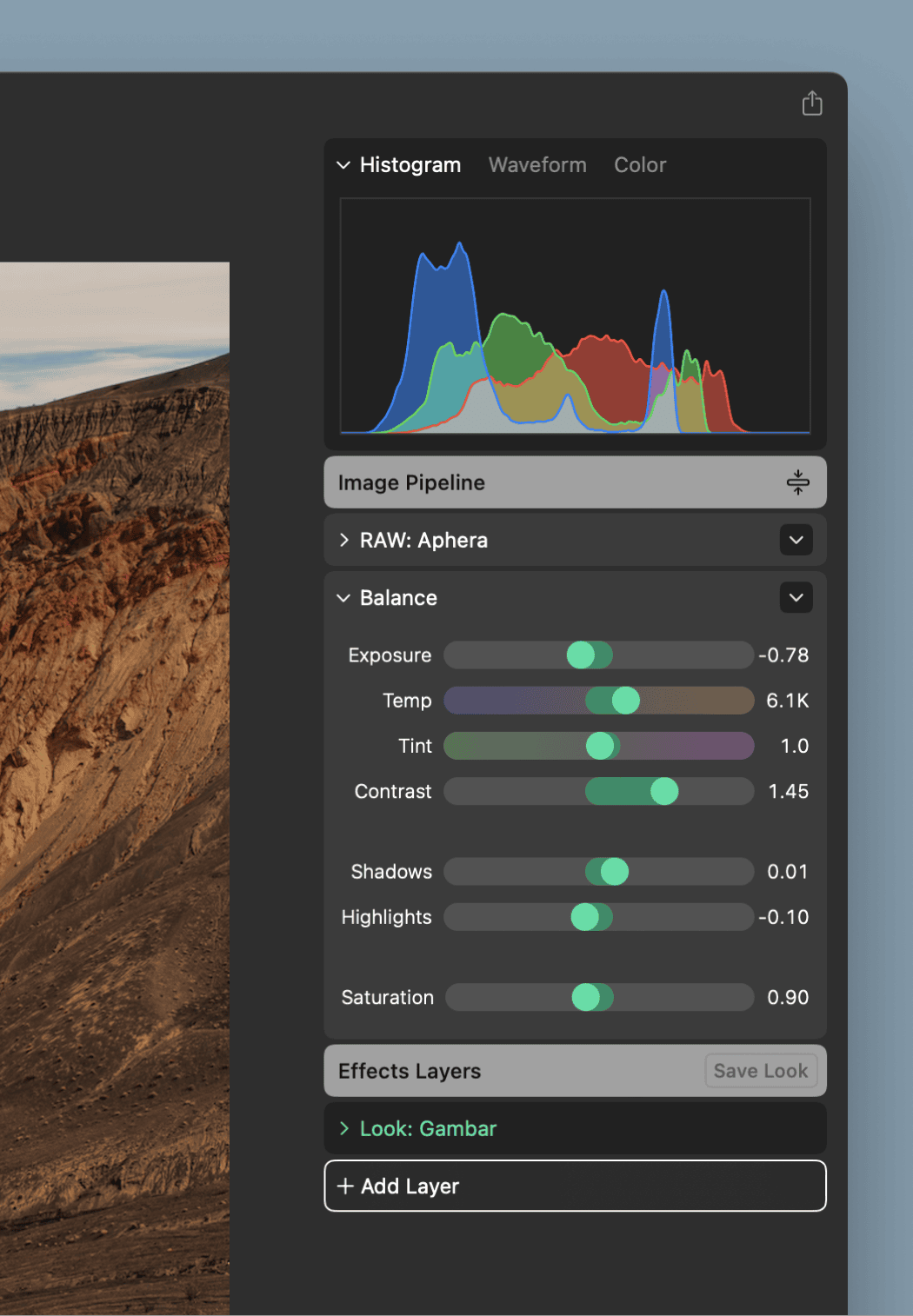
We’re always listening and learning from user feedback. Histogram was a widely requested feature, now implemented in the app, in addition to Waveform and Color Scopes.
Scopes
Three scopes now sit at the top of the Inspector: Histogram, Waveform, and Color. They read the photo with your edits applied, and update in realtime.
- Histogram — how many pixels hold each brightness value, per channel. A spike against either edge is clipping.
- Waveform — the same reading laid out across the width of the frame, so you can see where in the image each value lives.
- Color — hue and saturation with brightness removed. Understand color intensity and hue shifts over the entire image.
Scopes measure the full image at a fixed resolution, unaffected by pan and and zoom. Histogram bars scale against a fixed reference so that the graph stays consistent across photos.
See Scopes.
Redesigned inspector panel
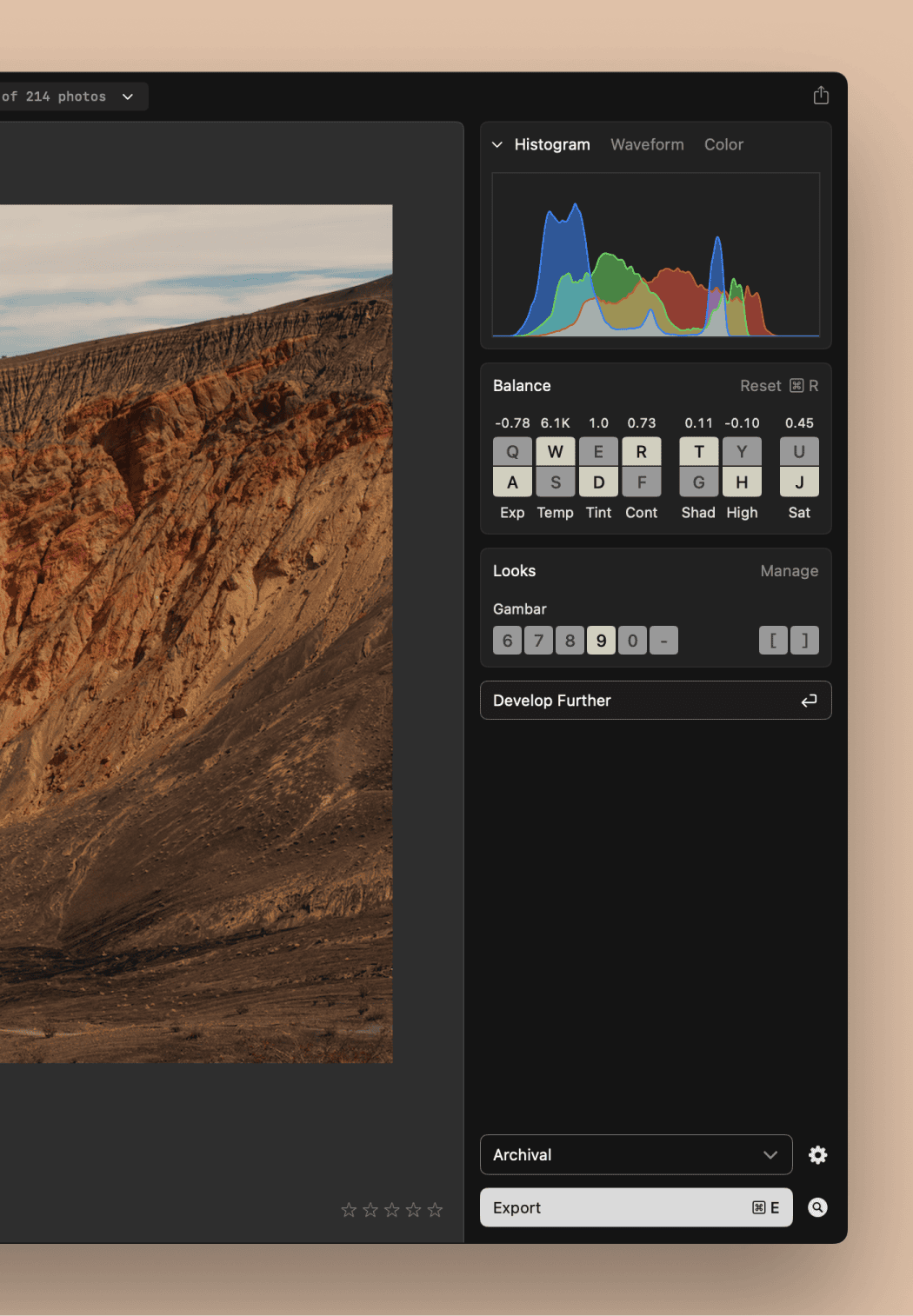
We‘ve redesigned the right side panel in View mode, bringing it in line with other photo apps. Scopes sit at the top, with Balance and Looks below. The most important tools are more present in your view. Export moves to the bottom, out of the way until you need it.
30-day trial
The trial is now 30 days (up from 14) and we‘ve extended all existing trials. Enjoy some extra time to explore Aphera!
Other changes
The Develop panel headers are renamed. The header is Image Pipeline, replacing the file name, and the layer stack below it reads Effects Layers.